Digital Government

Digital Government

In-house systems, in production, covering the full cycle of local administration: who the resident is, what they asked for, where it happens and what the numbers show.

Residents Operations Territory Data

The systems

Built in-house, deployed in containers, running in production.

SIMA
Integrated Metrics and Analysis System

The backbone platform for municipal management. It centralises and connects citizen services and internal operations into a single ecosystem where every piece of data lives once and is shared across departments. Fully web-based, with no software to install on workstations, and rolled out in stages: each module is an independent service enabled according to the municipality's priorities.

Go microservices · Vue 3 · PostgreSQL/PostGIS · Docker · SaaS
What it solves
  • Single citizen registry: one record per person with personal details, addresses and household, a 360° view of the resident and instant search by ID number, name or address.
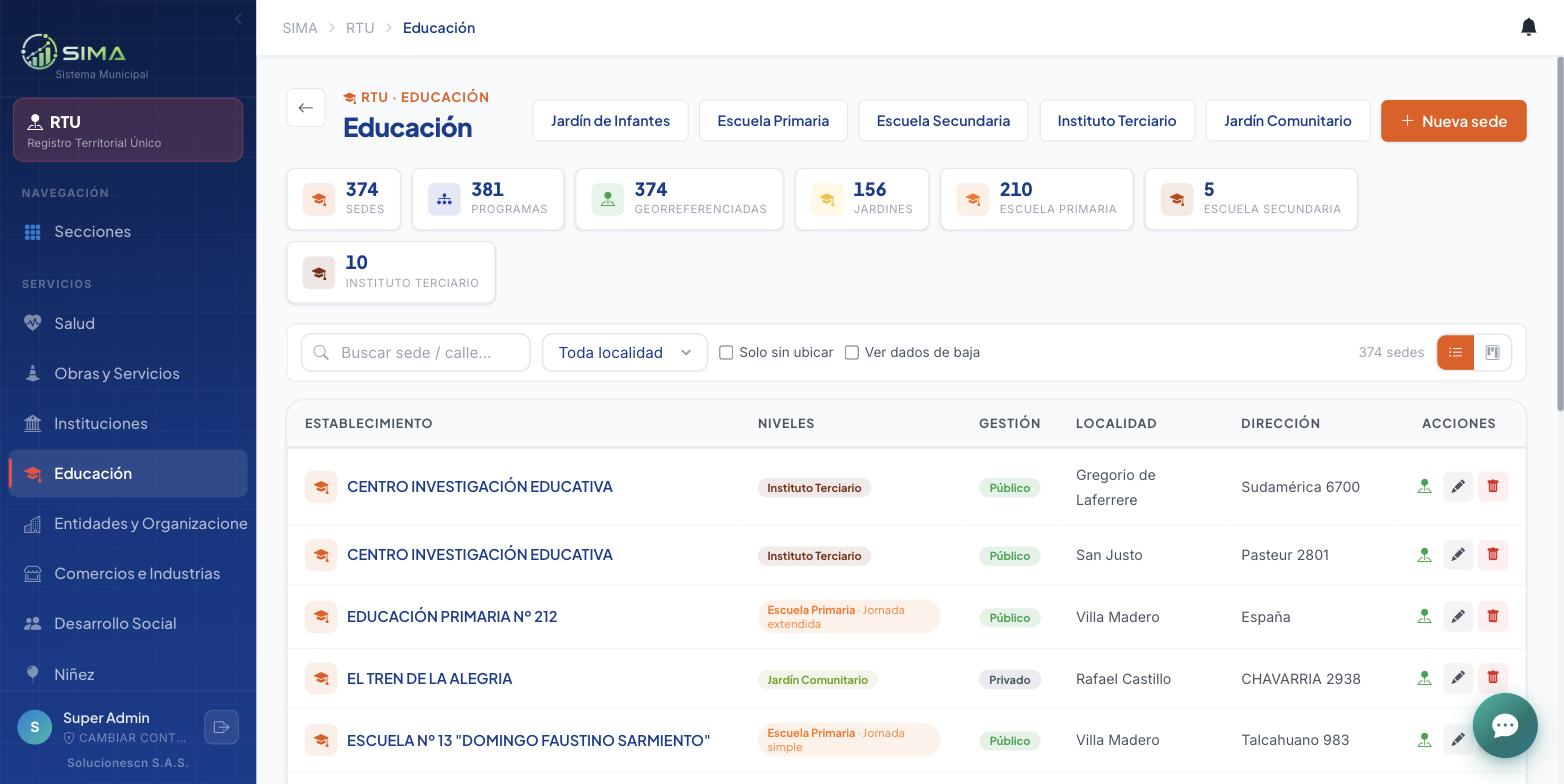
  • Territorial registry: public works, schools by level, institutions, businesses, health centres and green spaces. Each building exists once and is placed on the map.
  • GIS — master map and thematic maps per department, with toggleable layers, a detail card per point and plan export.
  • Analytics — a dashboard per department, social indicators per household (vulnerability, unmet basic needs, socioeconomic level), heat maps and cross-department analysis.
  • Benefits and social programmes with duplicate control: it warns when someone in the same household already received the same benefit.
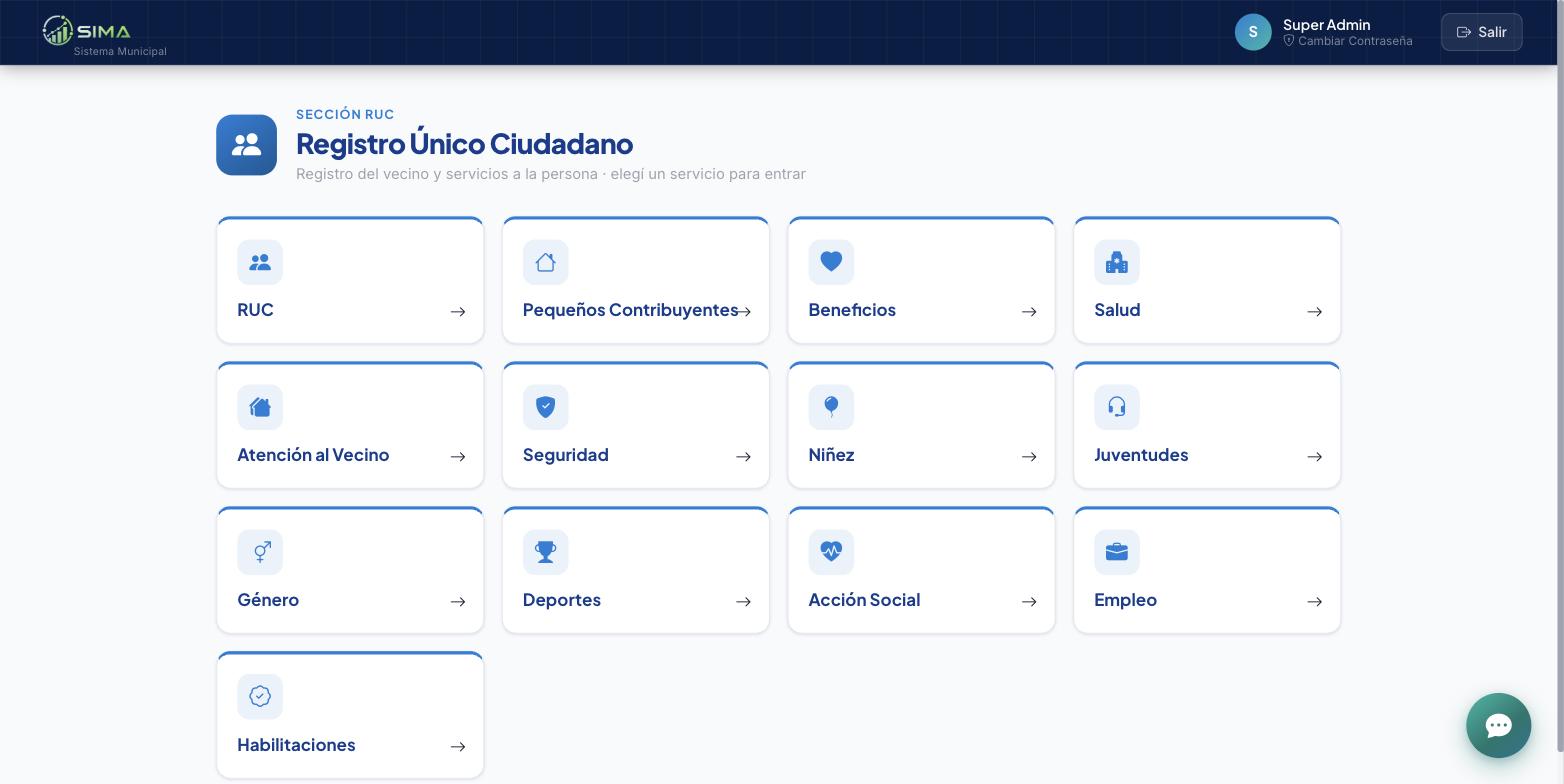
  • Social departments all work on the same registry: Health, Public Safety, Childhood and Youth, Gender, Social Action, Employment, Sports and Taxpayers.
  • Tickets: routing between departments with number, status, priority and full history, linkable to a resident, a building or a case file.
  • Delivered as a cloud service (SaaS): the municipality buys and maintains no servers, licences or infrastructure of its own.
Inside the system
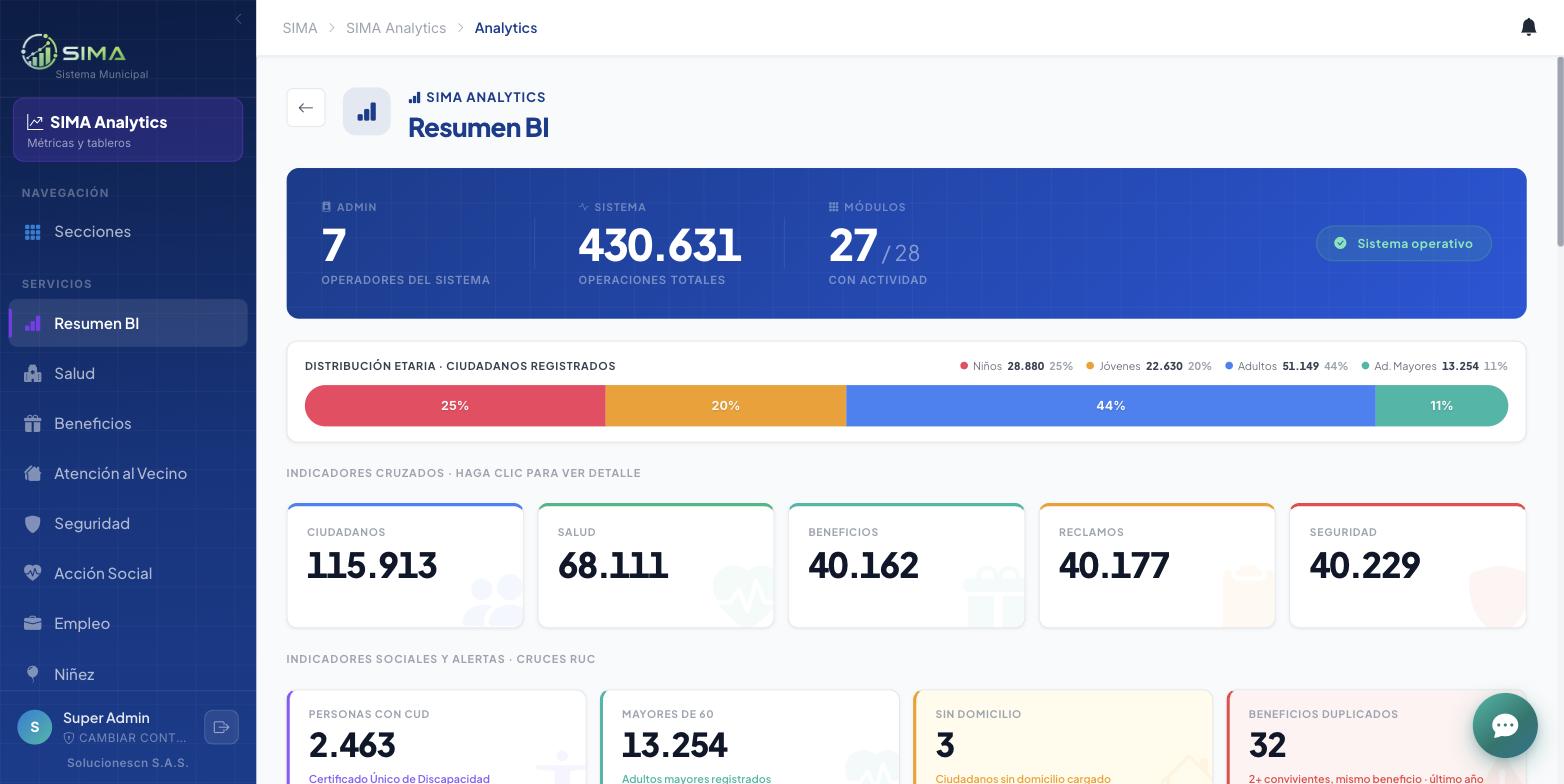
Analytics: cross-department indicators over the single registry.
Territorial registry — Education: georeferenced sites by level, management and locality.
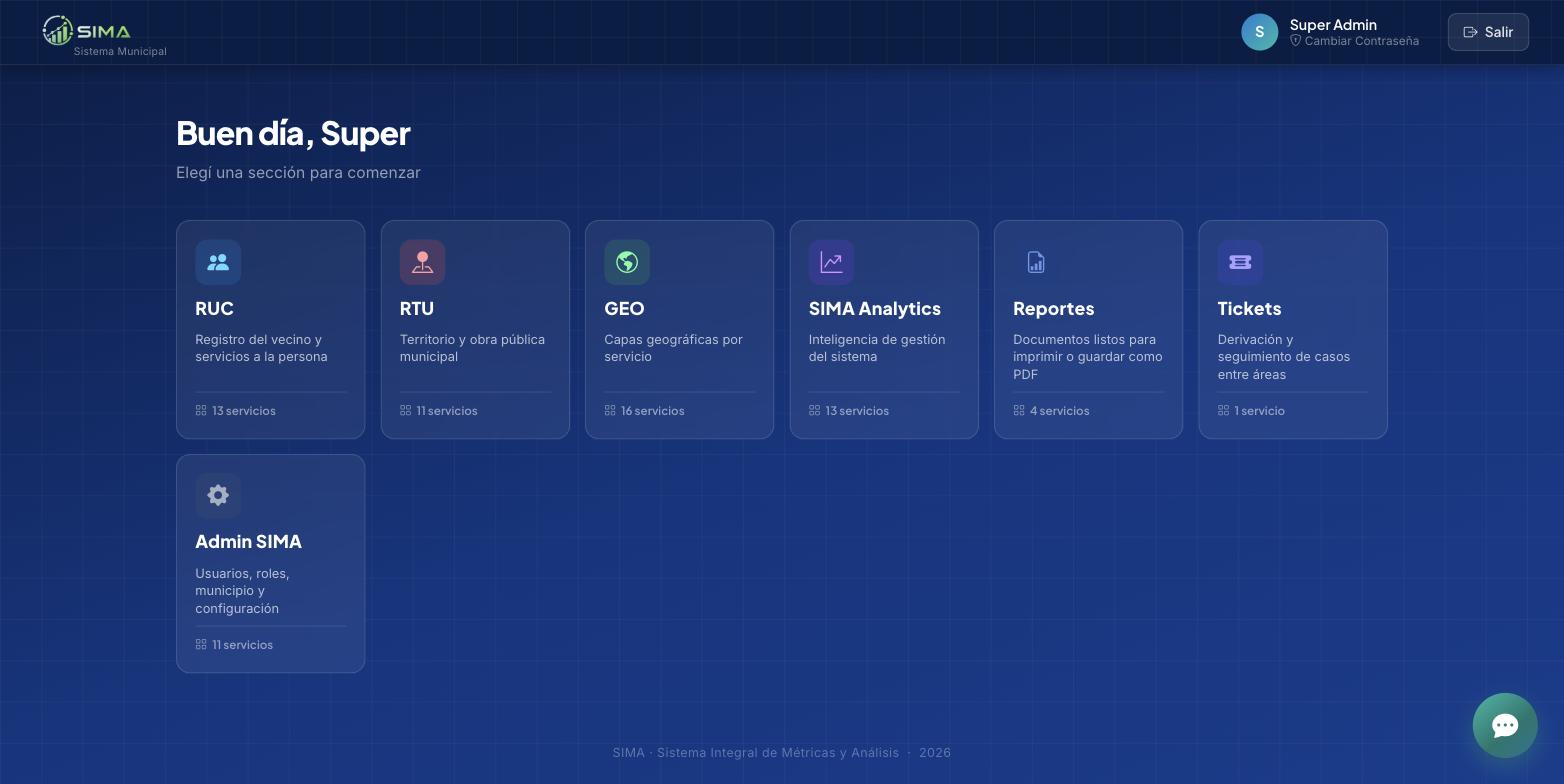
The sections of the system: citizen registry, territory, maps, dashboards, reports and inter-department routing.
Citizen registry: every service delivered to a person, over one single record.
+ Cerca
Smart management of resident complaints

It connects residents with their municipality to report and resolve street-level issues: potholes, street lighting, traffic lights, water and sewers, trees, waste. The resident files a report in seconds from their phone or the web, with a photo and a location on the map; the municipality receives it instantly, assigns it to a crew and follows it through to resolution. Running in production in a municipality of Greater Buenos Aires.

Go · Vue 3 · Leaflet · MariaDB · Android/iOS app
What it solves
  • Residents report from the public web map, with nothing to install, or from the mobile app for Android and iOS, and get a unique, non-transferable tracking number.
  • One problem, many residents: reports of the same type filed a few metres apart group themselves. The municipality resolves once and each resident gets their own notification, with their own number.
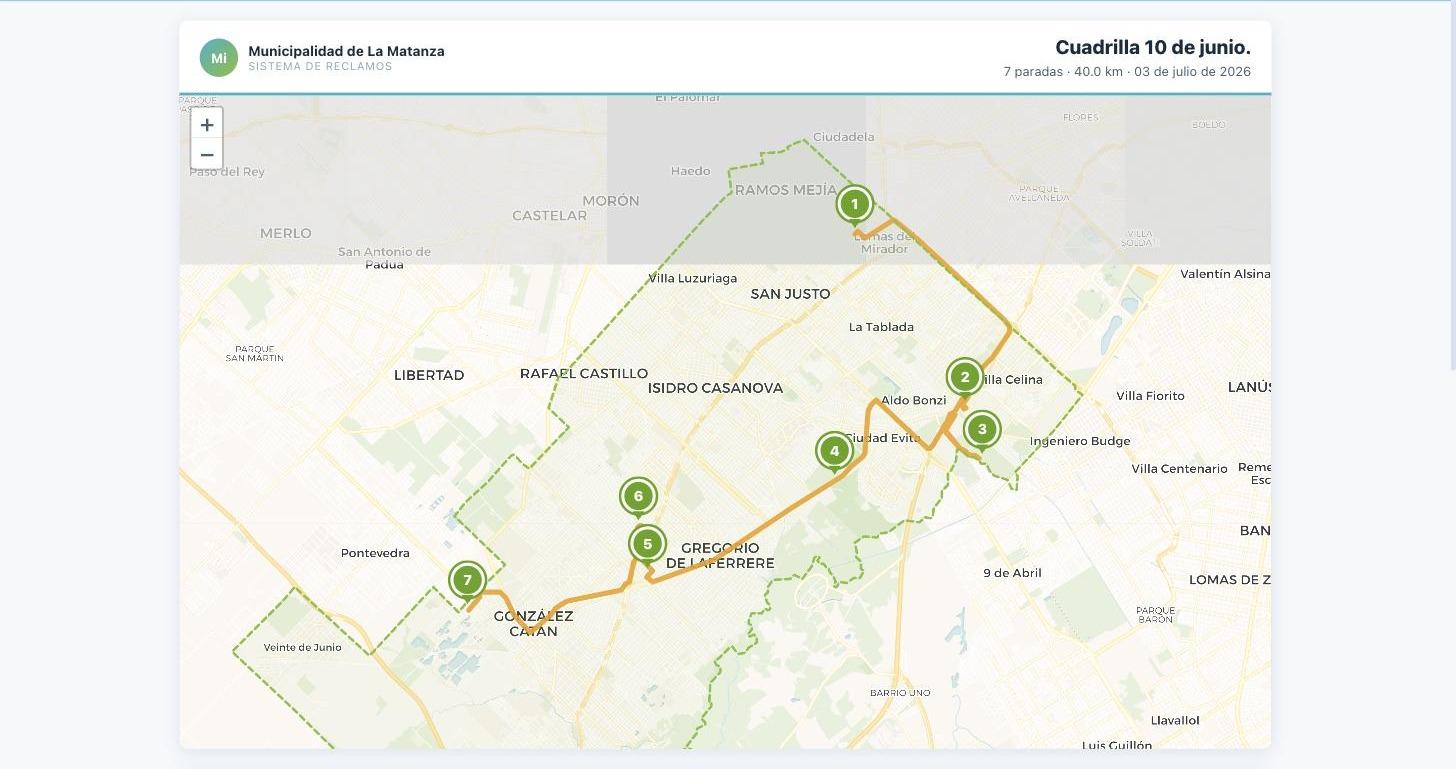
  • Automatic crew routes: select the reports and the platform builds the optimised route over real streets, respecting one-way traffic, ready to print.
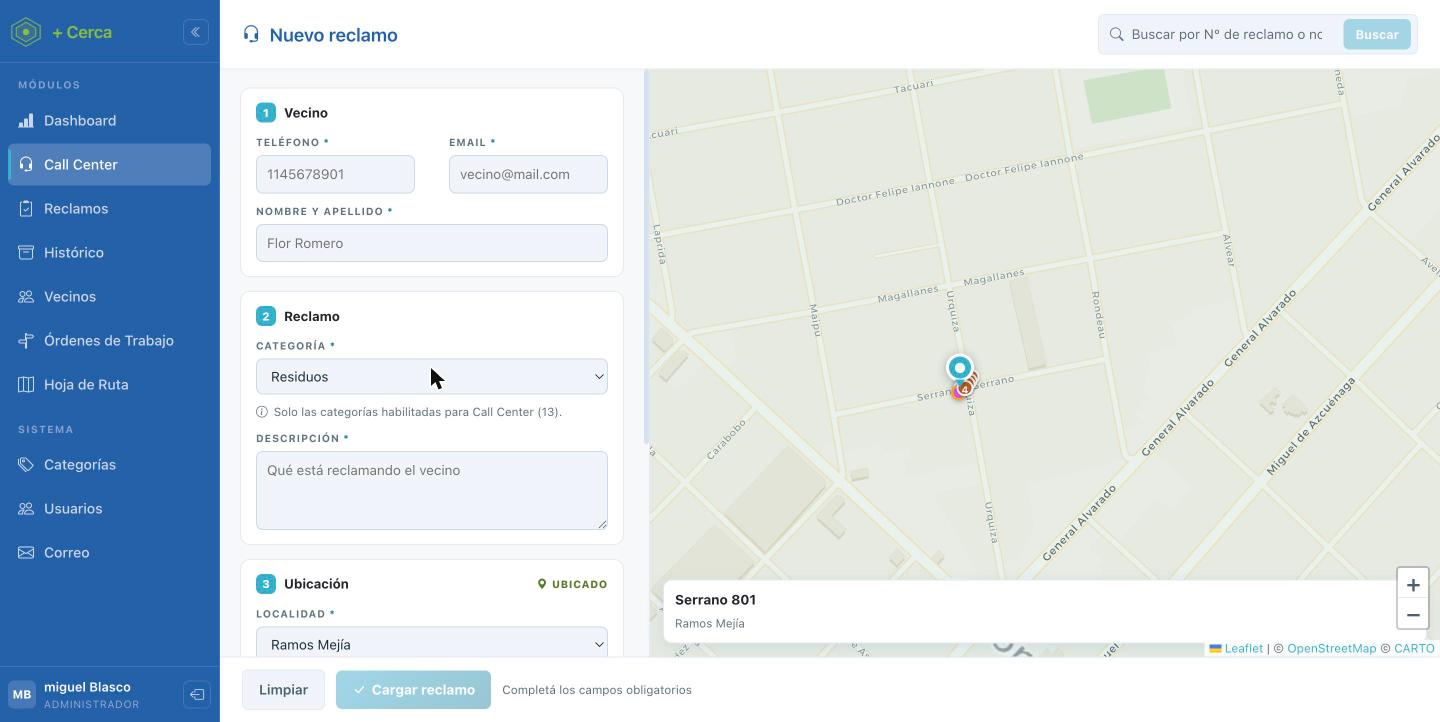
  • Integrated call centre: the agent answers with a browser softphone, sees the resident's name and prior reports, and files the new one on the same screen.
  • It connects to the IP phone system the municipality already has, over SIP on secure WebSocket with WebRTC audio: no PBX replacement, no software on the workstations.
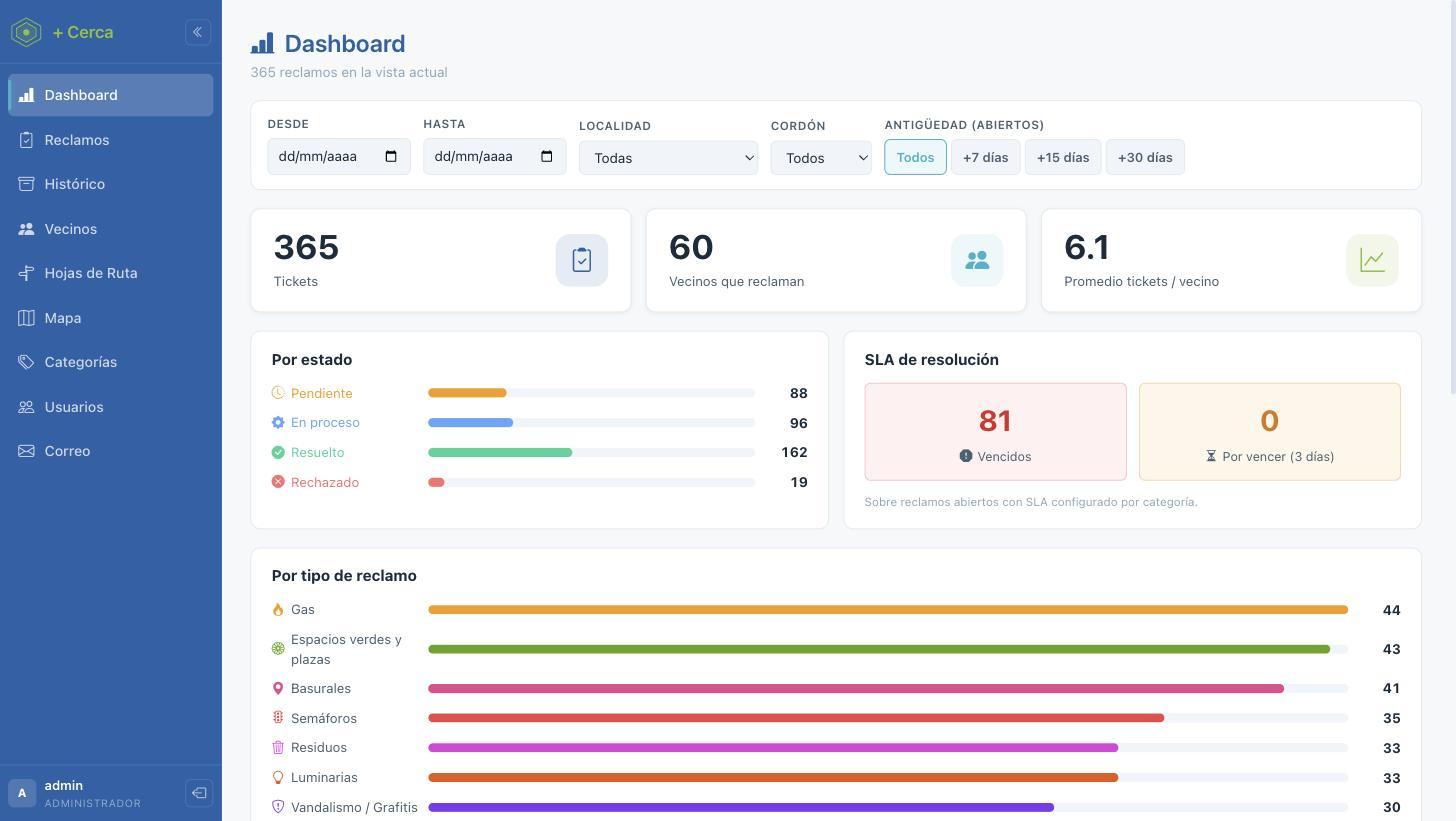
  • SLA per category: each report type can carry a committed resolution time, and the dashboard flags overdue and near-due items.
  • Roles and permissions per report type: each team sees only the categories assigned to it, across the whole system.
  • Full traceability: no report changes status without a reason, an author and a date on record, and the resident is notified by app and email at every step.
Inside the system
Dashboard: reports by status, residents filing, ranking by type and SLA control.
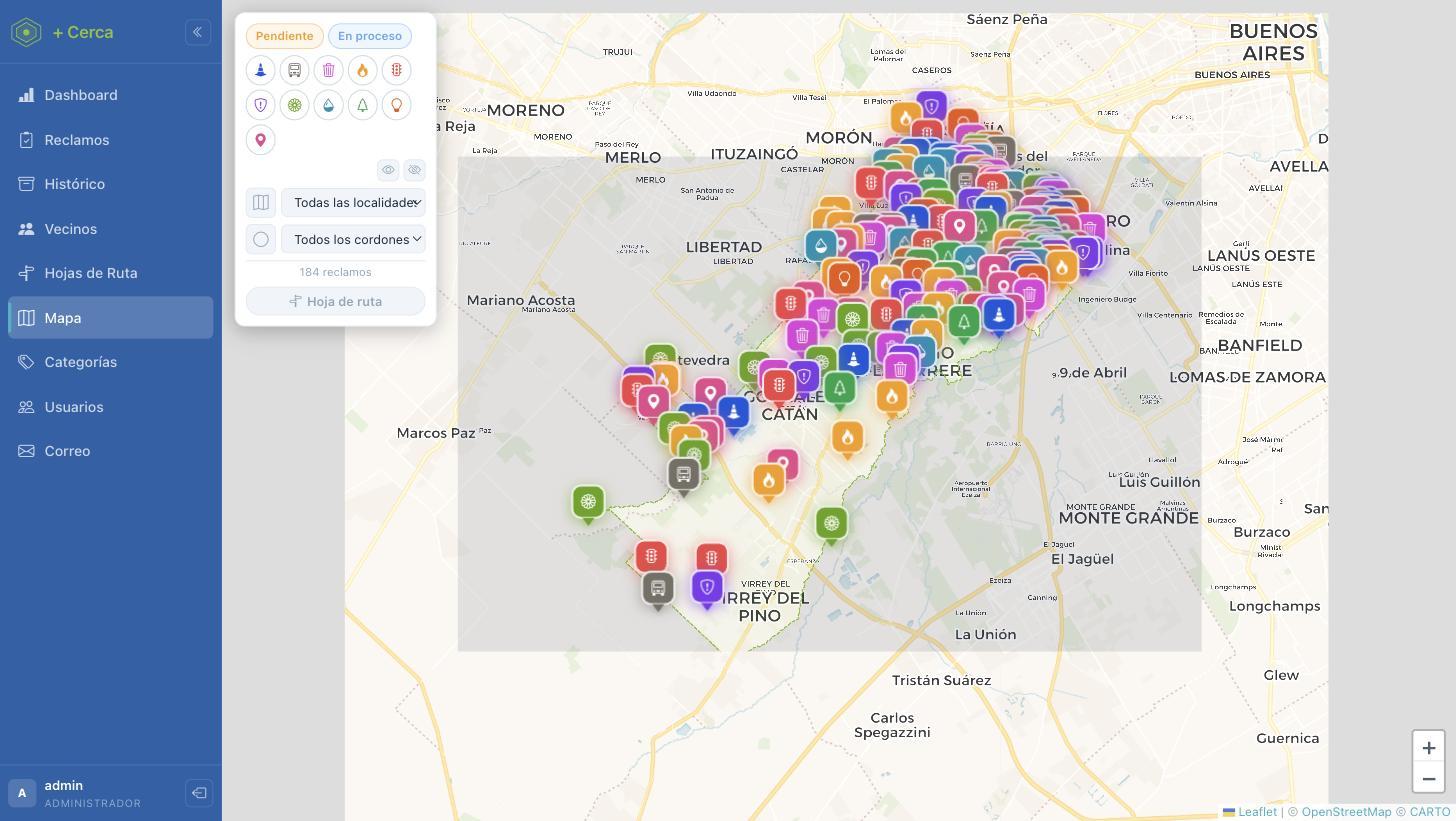
Management map: every report, filterable by status, type and locality.
Crew route: optimised itinerary with numbered stops and total distance.
Call centre: the agent files the report while on the call, with the address placed on the map.
CallTo
Phone campaigns and contact centre

It runs phone campaigns end to end: it organises the contacts, guides agents through a script, places the calls from the browser and measures results in real time. Multi-tenant by design: several organisations or departments operate on the same platform, each seeing only its own data, with independent users, roles and permissions.

NestJS · Vue 3 · MySQL · Asterisk (SIP/PJSIP) · WebRTC · Socket.IO
What it solves
  • Calls from the browser with WebRTC audio: no physical handsets and no software installed on the agent's workstation.
  • The agent works on a single screen: requests the next contact, dials with one click and fills in the script while talking.
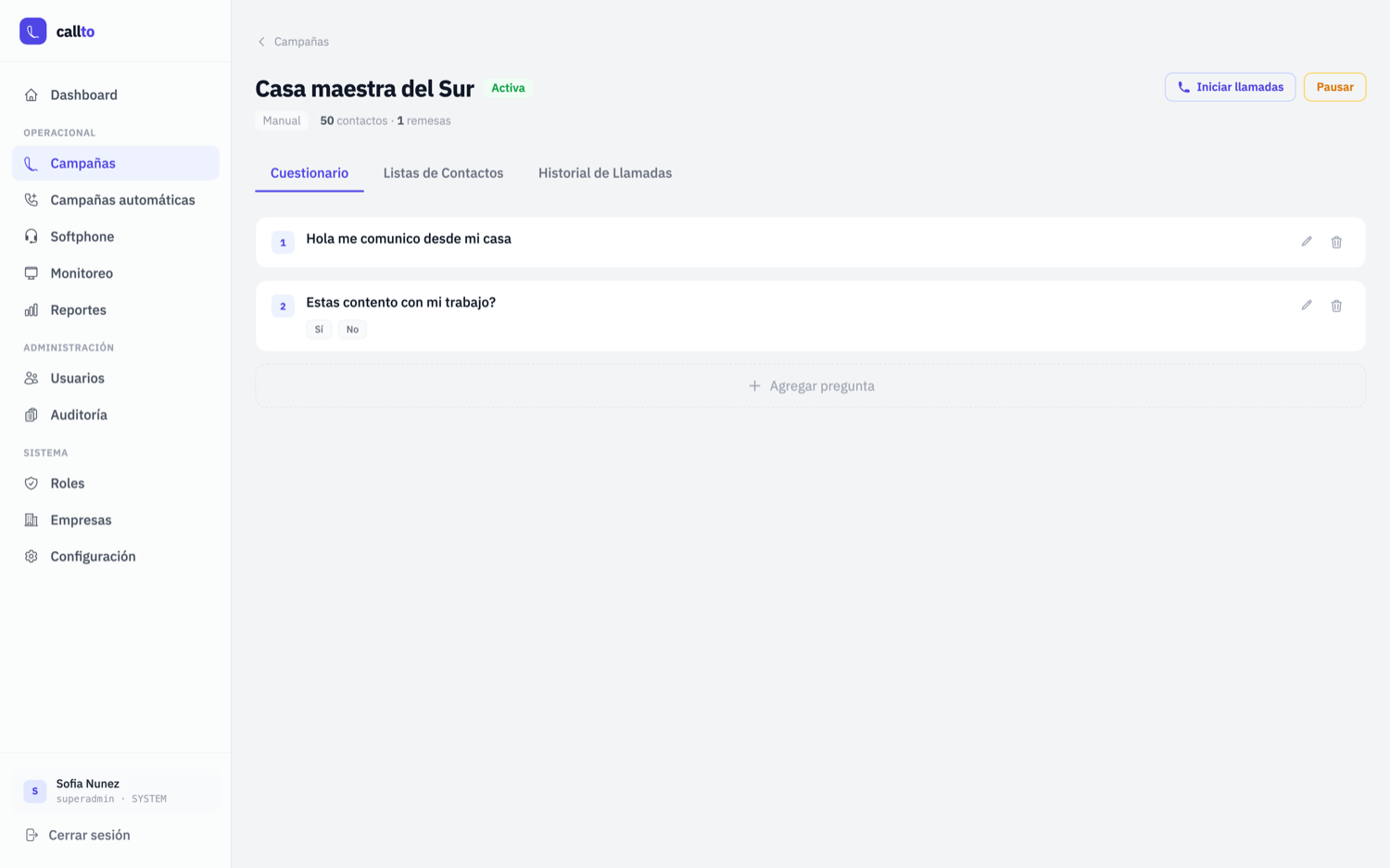
  • A script per campaign, with multiple-choice or free-text questions, and answer statistics.
  • Contact lists importable from CSV, with progress tracking per batch.
  • Configurable automatic retries and calling windows: outside that window the system will not dial.
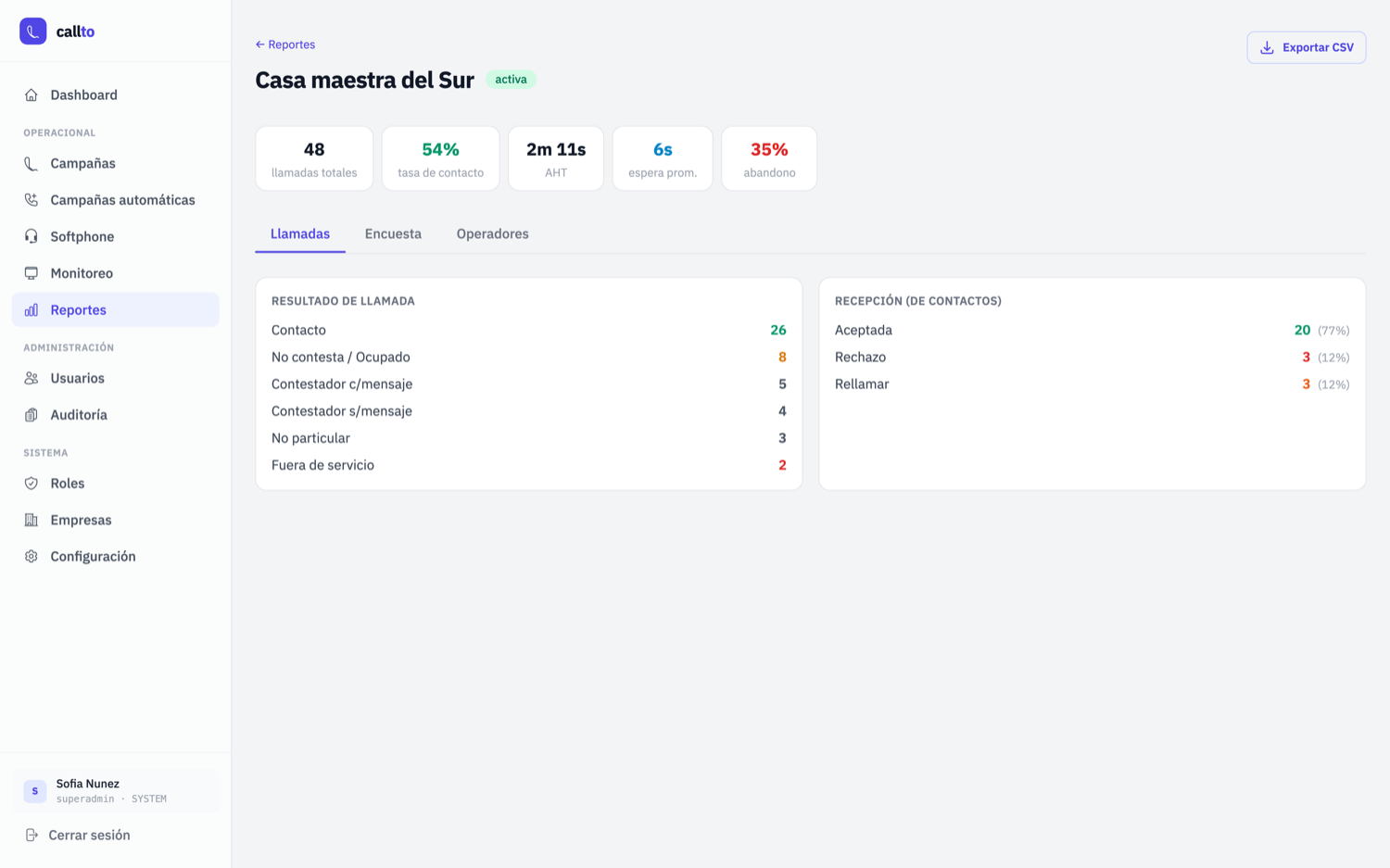
  • Reports with contact-centre indicators —calls, contact rate, AHT, wait and abandon— exportable to CSV.
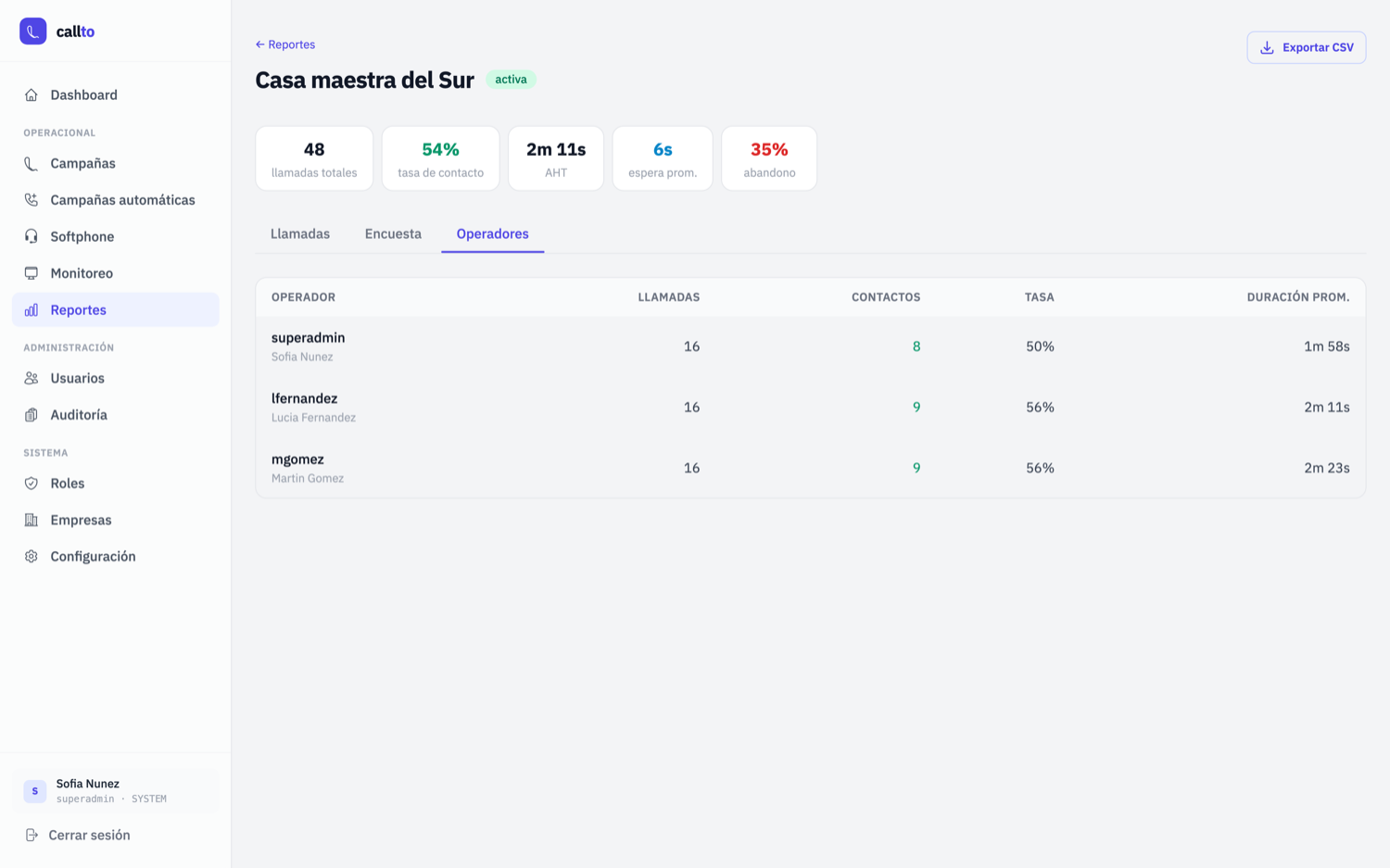
  • Per-agent performance to compare team productivity: calls, effective contacts, rate and average duration.
  • Live monitoring: active sessions, agent presence and use of phone channels per trunk and per company.
Inside the system
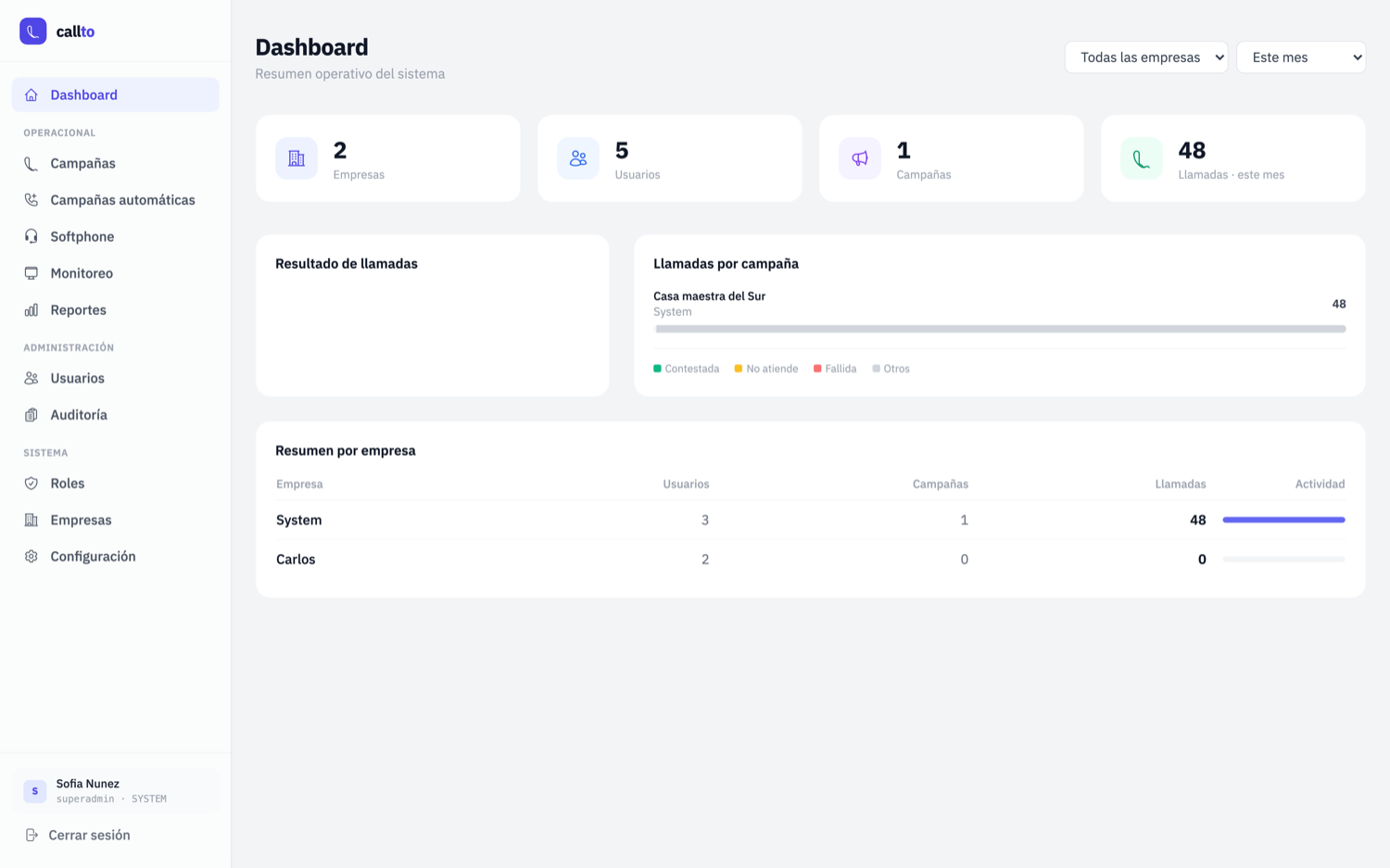
Dashboard: operational indicators, calls per campaign and summary per company.
Campaign script, guiding the agent through the call.
Campaign report: contact rate, AHT, wait, abandon and call outcomes.
Per-agent performance: calls, effective contacts and average duration.
Conmutador
Web softphone and audit console

The phone station inside the browser, authenticated against the organisation's directory. Whoever answers signs in with their network account and the system resolves their extension on its own, with no parallel list to maintain. Alongside it runs an audit console, separated at the architecture level.

NestJS · Vue 3 · JsSIP/WebRTC · LDAP · FreePBX
What it solves
  • Sign-in with the directory account (Active Directory) and the extension read from the directory itself: no separate list to maintain.
  • Three profiles: agent, switchboard operator (status grid, search and transfers) and technician.
  • Technical view of the handsets: IP, registration, latency and firmware for each device.
  • It sits on top of the existing PBX, without migrating or replacing it.
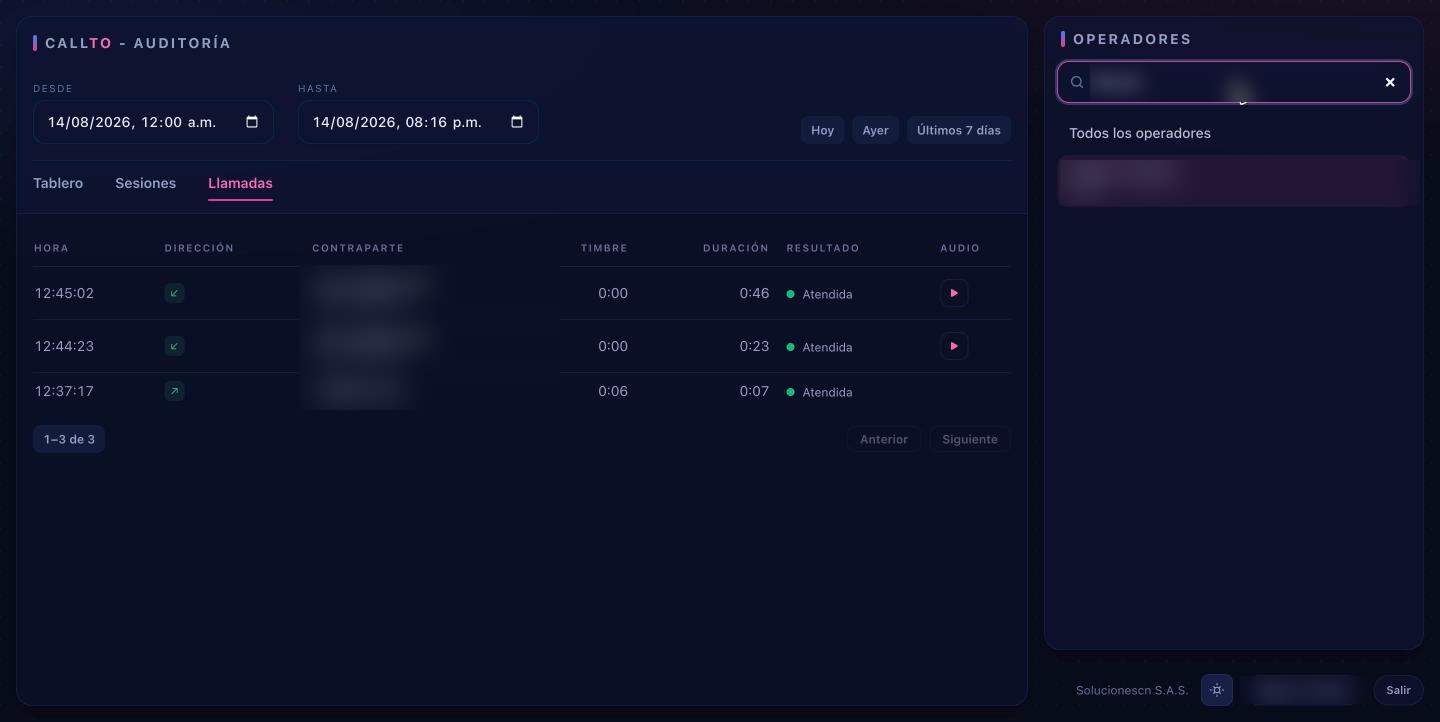
  • Audit console with its own session: logins and logouts, calls by date range with their recordings, and a KPI dashboard.
  • Audit records are stored in a database where the application can insert but cannot modify or delete.
  • If the audit service goes down, the phone keeps working: it never blocks support.
Inside the system
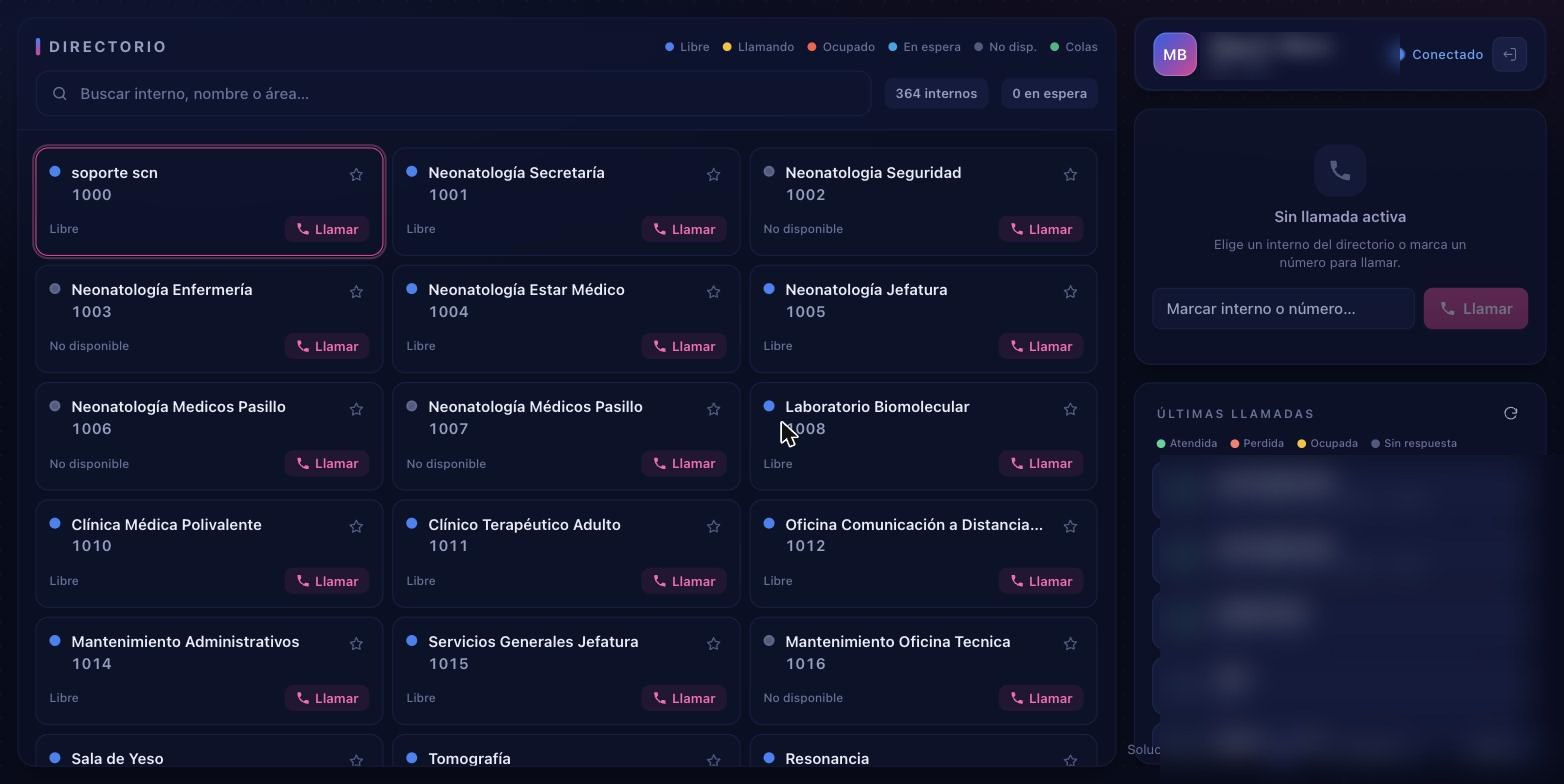
Switchboard grid: 364 extensions with live status, search and one-click calling.
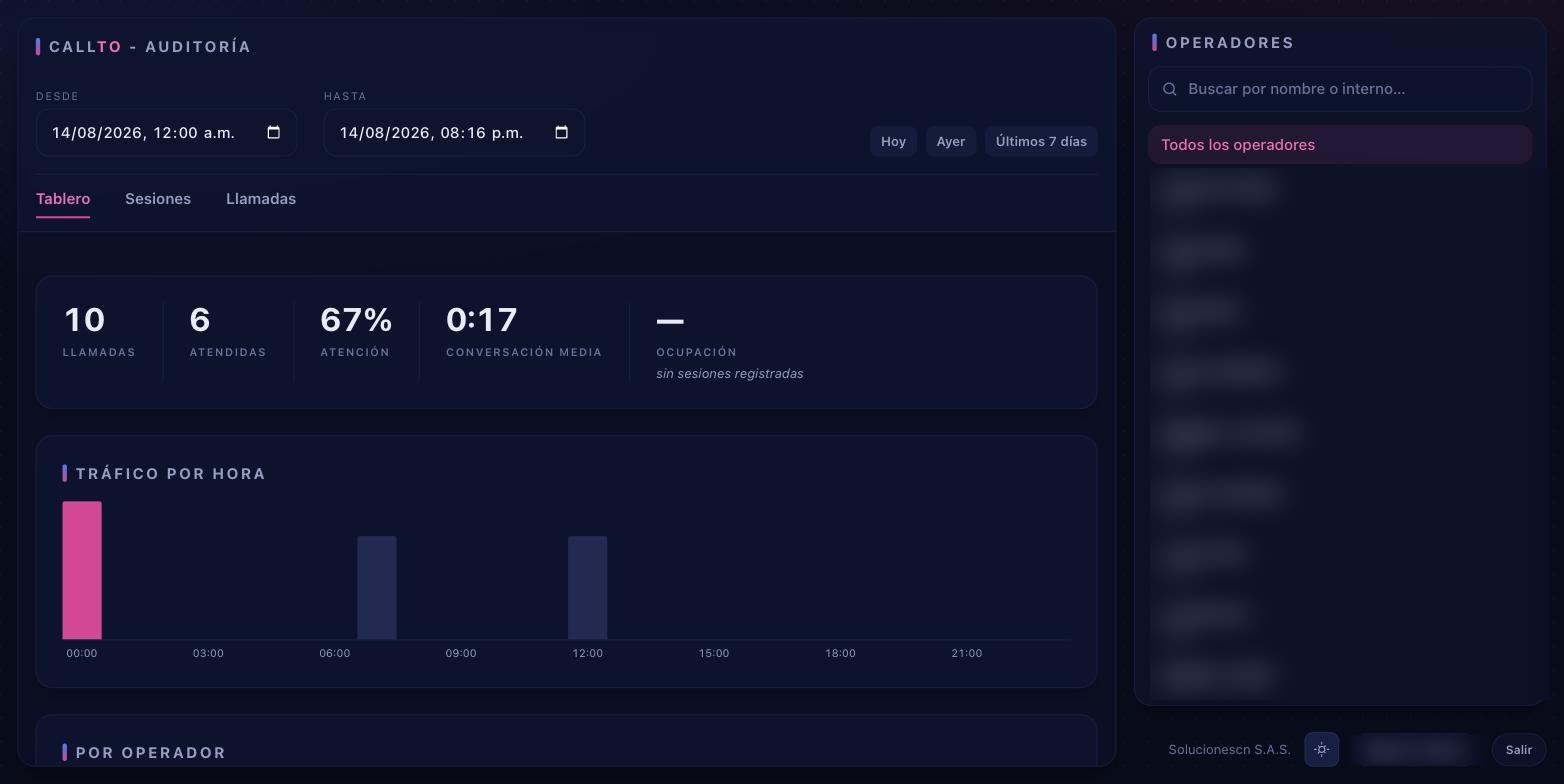
Audit console: calls, answer rate, average conversation and traffic by hour.
Calls per operator and date range, each with its recording.

Do you run a municipality or a public agency?

We can show you the systems running and look at how they fit with what you already have in place.

Request a demo
Write to Us

Let's talk about your next project

Tell us what you need and we'll get back to you shortly.